AWS with Ansilble - Getting connected
updated 09 December 2019This is the first part in a series on building and running infrastructure on Amazon Web Services using Ansible. If you do not have an AWS account yet, Amazon offers a free tier to get started. Check it out here.
Ansible ships with a large set of AWS modules. This series explains how to use them to create and manage AWS infrastructure.
Prerequisites
Two things are required before Ansible can talk to AWS:
- Ansible
- boto (Python package):
pip install boto
The examples in this series use boto 2.49.0 and Ansible 2.5.2.
The access
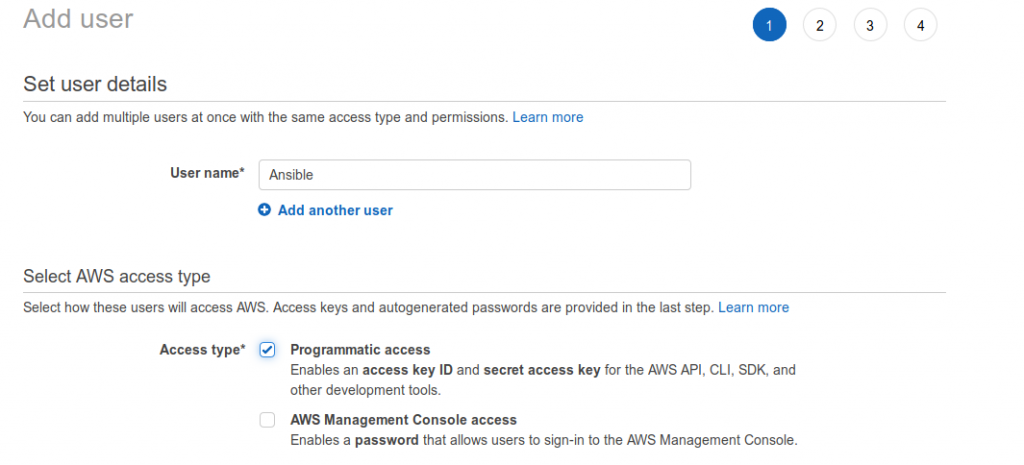
AWS recommends creating an IAM user with access keys rather than using root credentials. Creating one is straightforward — follow the link above, or go to Account Settings > Your Security Credentials > Users.
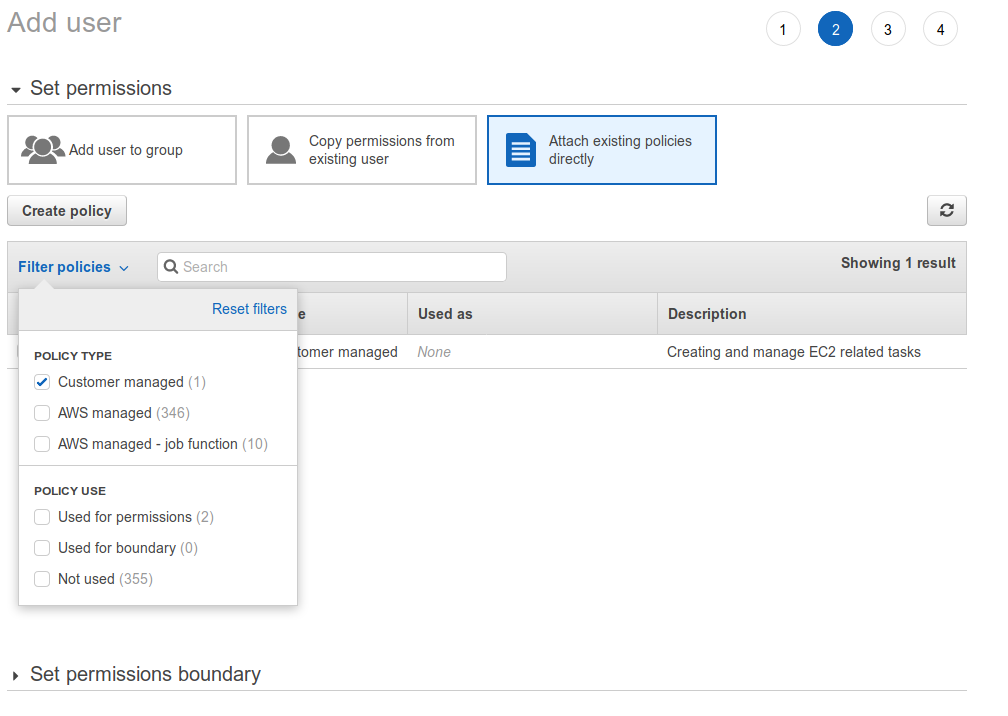
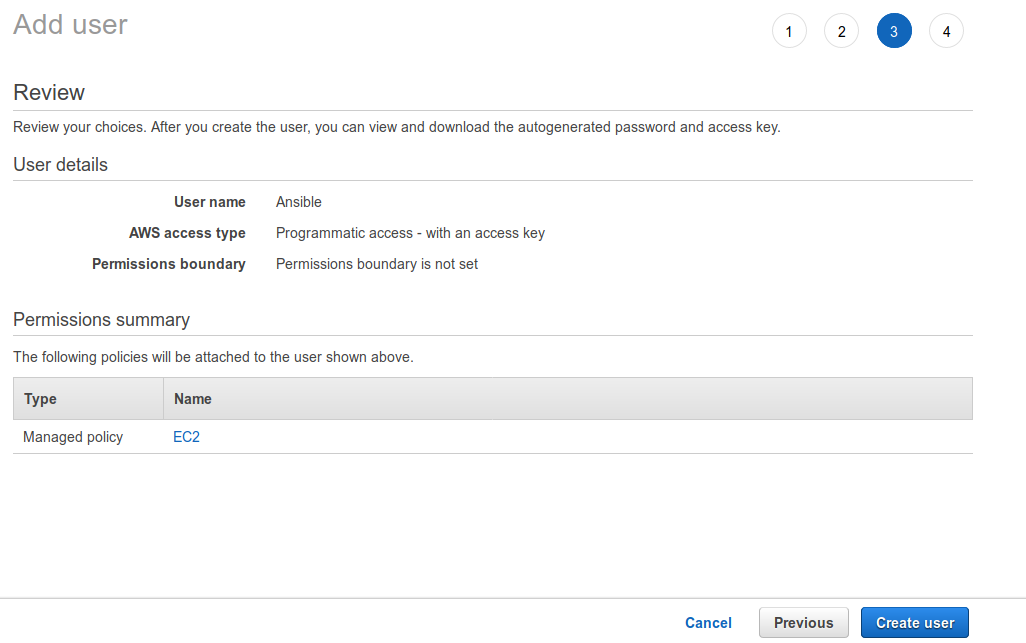
The steps are: Add user, create a policy, review, and confirm. Close any windows that opened during policy creation. Filter on policies, click “Customer managed”, and refresh if nothing appears.
The user for this setup has no console login access. It exists only for Ansible automation, so I named it ansible.
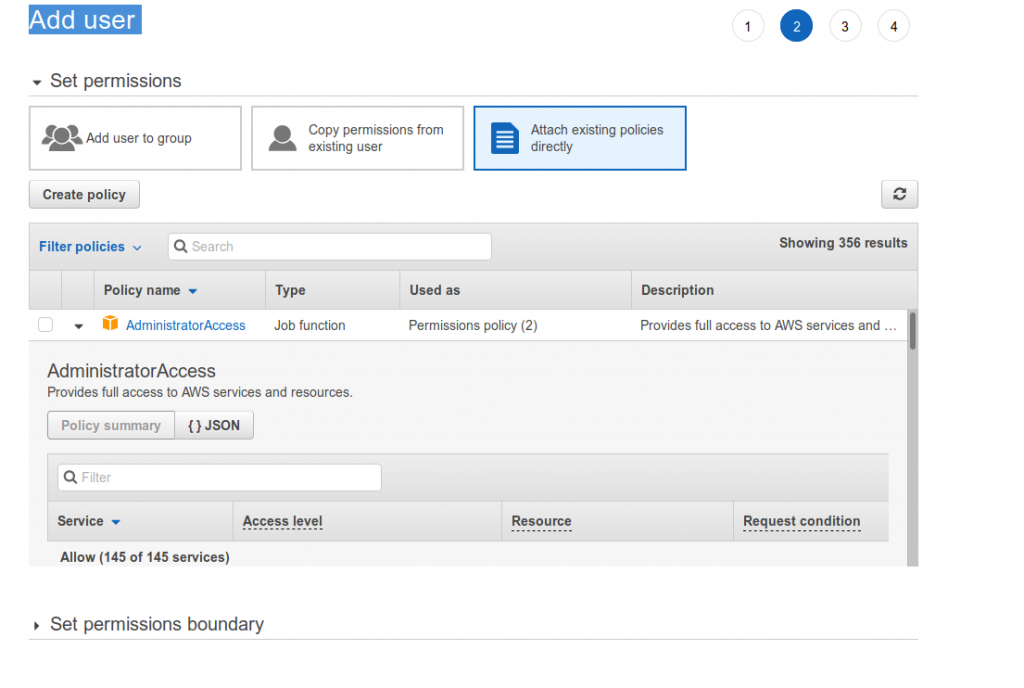
Next, assign permissions. AWS policy-based access control makes this clean: bundle permissions into a role or add a new policy to an existing one.
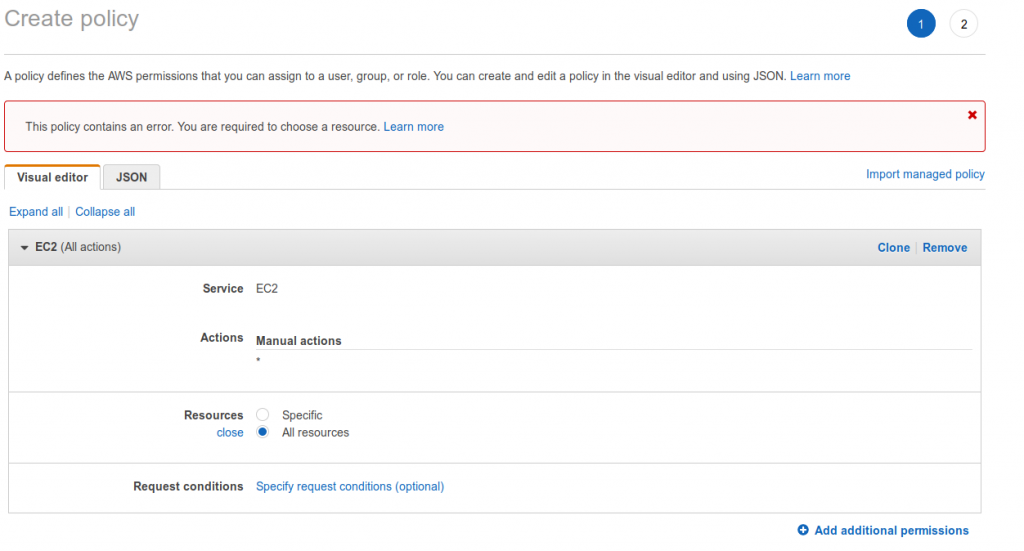
Creating a policy is a two-step process: create, then review. This account needs to create new EC2 instances on existing networks and also spin up full VPC stacks. The policy below grants full EC2 access. The table shows which resource types each action applies to.
Step 1)
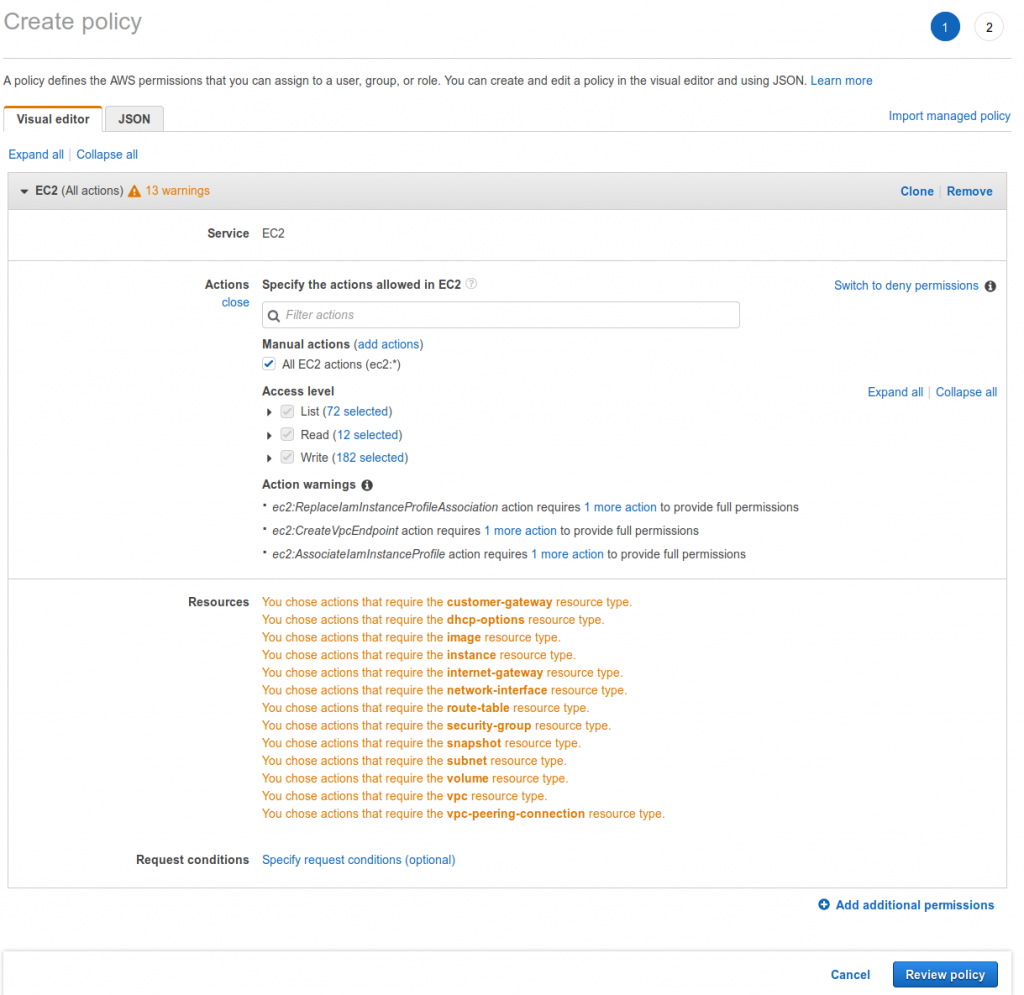
Step 1.1 — Resource path. This is where you can restrict access to a specific resource.
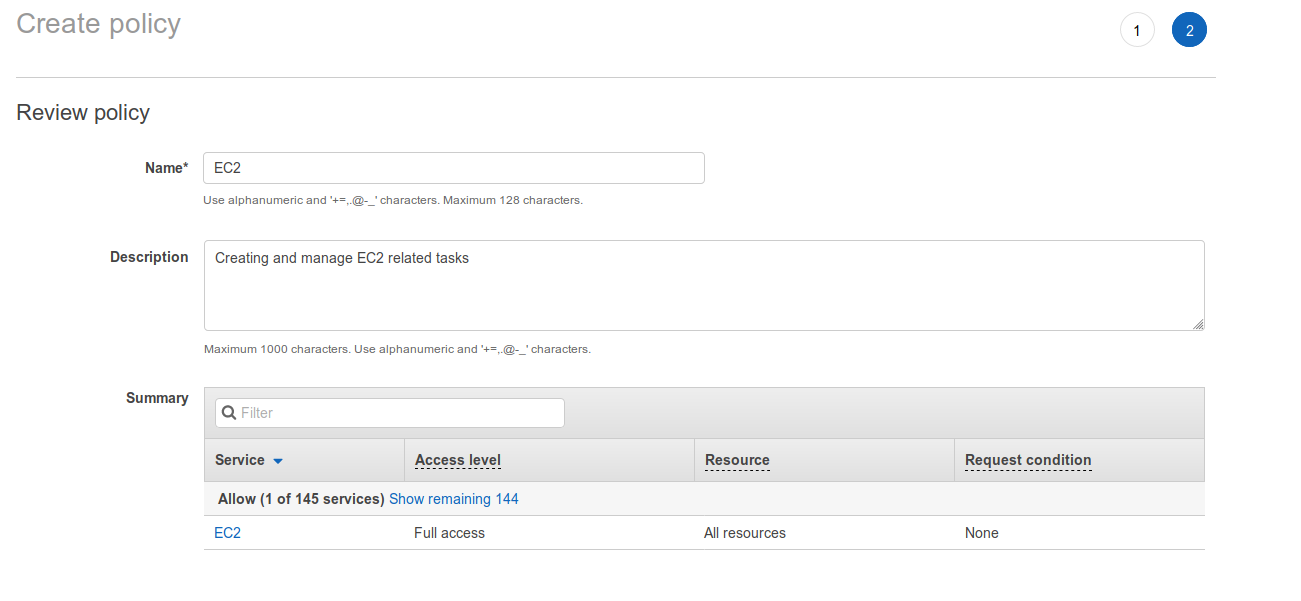
Step 2) — Name the policy so its purpose is obvious, then add a description for detail. Review to confirm, then go back and fix anything that is wrong.
To find the policy after creation, filter by “Customer managed”. All custom policies appear there.
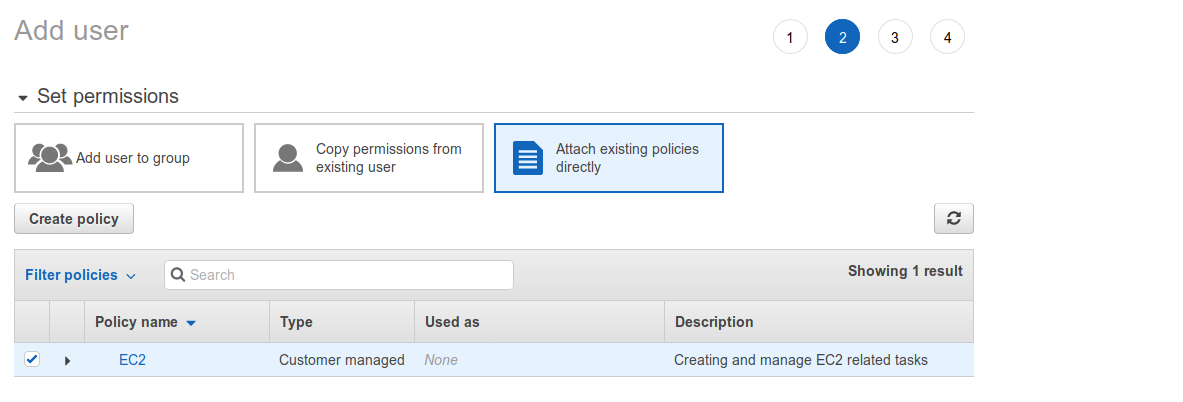
Tick the desired policy and create the user.
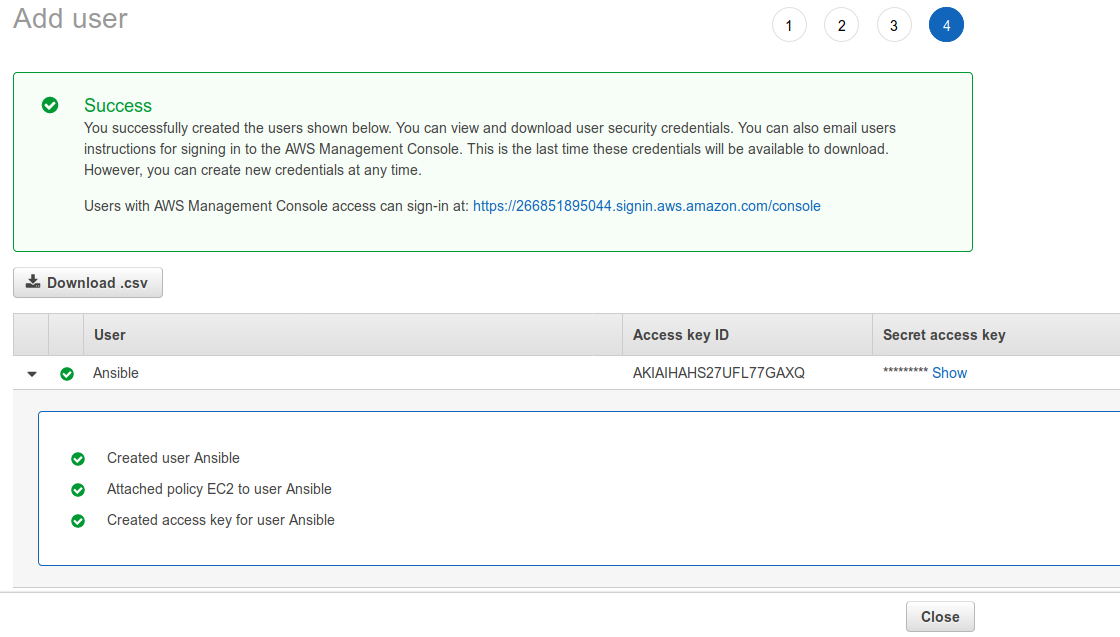
After the user is created, the console shows the access key ID and the secret access key. Download the CSV file now. After leaving this screen, the secret access key is gone forever.
Download the key before closing this screen.