Working with Zabbix templates
updated 22 September 2016Scaling Zabbix monitoring requires a deliberate template structure. Without one, templates conflict and the monitoring setup becomes hard to maintain.
The triangle model
Puppetlabs uses a triangle to illustrate manifest structure. The same shape works well for Zabbix templates.
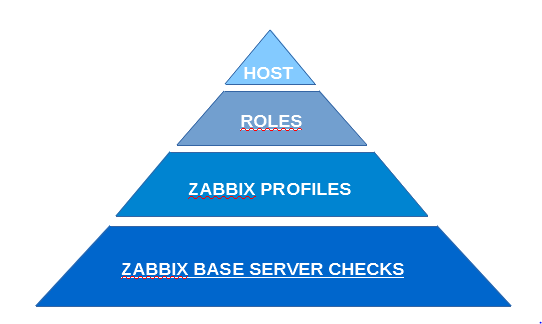
The three layers:
- Check templates (bottom layer): Each template holds one focused check with its item, trigger, and optional graph. All items, triggers, and graphs live exclusively at this layer. Group these under a template group called “Check templates”.
- Profile templates (middle layer): Generic profiles with no items, triggers, or graphs. They link to check templates only. Split profiles where needed to keep them reusable.
- Role templates (top layer): Server-type specific roles that link profile templates together. A Linux CentOS role and a Linux Debian role are good examples. Common checks at this layer include:
- SSH service
- NTP
- CPU load and utilization
- Storage
- Network
As you move up the triangle, templates become more server-specific. A DNS server role, for example, links a Debian Linux profile and a DNS-specific profile. The DNS profile bundles Bind9 checks alongside Zabbix-specific checks that run via UserParameters scripts for query and performance monitoring.
Template hierarchy in practice
The template chain ends up looking like this:
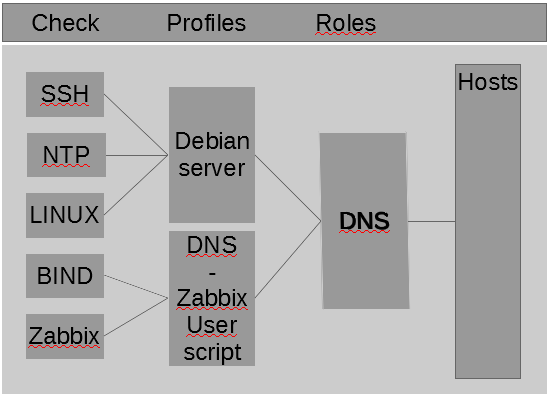
SSH, NTP, and Linux OS checks link into a profile template called “Debian server”. Bind and Zabbix checks link into a DNS-specific profile. Those two profiles combine into a single DNS role template that covers all DNS servers in the park.
Hosts attach to role templates only. Each host carries one link template and inherits checks and macro settings from every template linked below it.
What it looks like in the UI
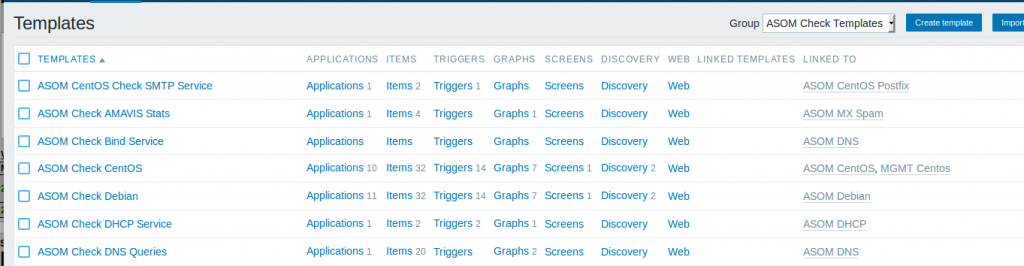
Check templates with items, triggers, and graphs:
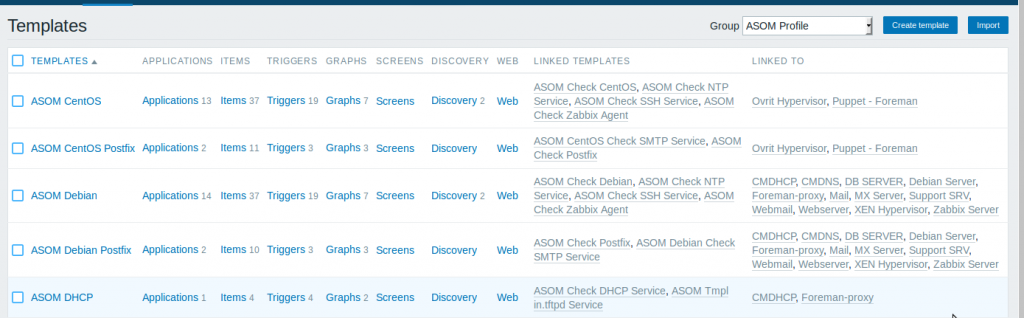
Profile templates:
Role templates with hosts assigned:
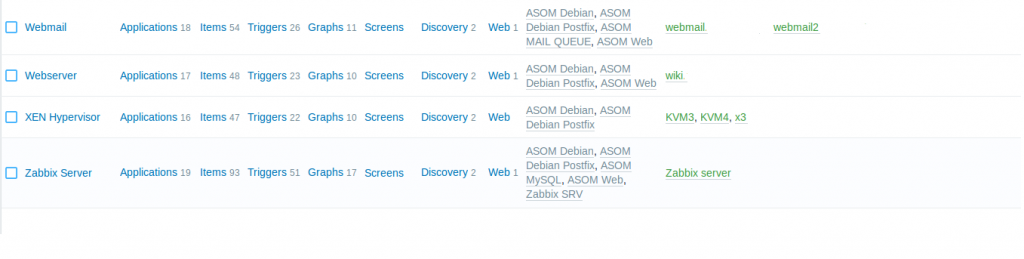
One role template per host keeps the structure clean and maintenance straightforward.