Creating a puppet environment
updated 07 November 2015Puppet environments separate development and production configurations. Test changes in a development environment before they reach production nodes.
Naming rules
Environment names contain only lowercase letters, numbers, and underscores:
\A[a-z0-9_]+\ZDirectory structure
Create the folder layout for the new environment. This example uses development:
environments/
└── development/
    ├── manifests/
    └── modules/
Configure puppet.conf
Add the environmentpath to the [main] section of /etc/puppet/puppet.conf:
environmentpath = /etc/puppet/environmentsCreate the directory structure:
sudo mkdir -p /etc/puppet/environments/development/manifests
sudo mkdir -p /etc/puppet/environments/development/modules
Create environment.conf
Each environment can override settings like modulepath and manifest:
sudo touch /etc/puppet/environments/development/environment.confEdit the file:
manifest = $confdir/environments/development/manifests
modulepath = $confdir/environments/development/modules
Verify it works:
sudo puppet config print modulepath --section master --environment development
Install a module into an environment
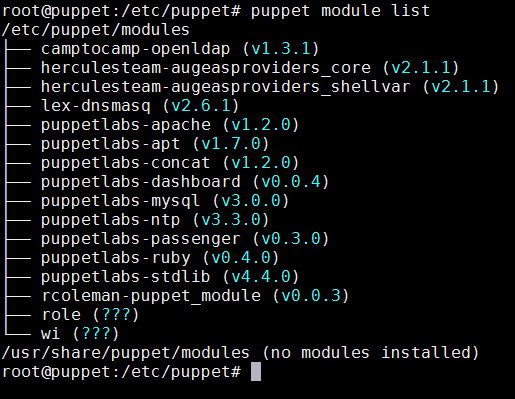
Check installed modules:

Install a module into the development environment:
puppet module install puppetlabs-stdlib --environment development
Run puppet module list again on the development environment to confirm the install:

The default environment shows a different version of the same module:
A future post covers how nodes select between environments.